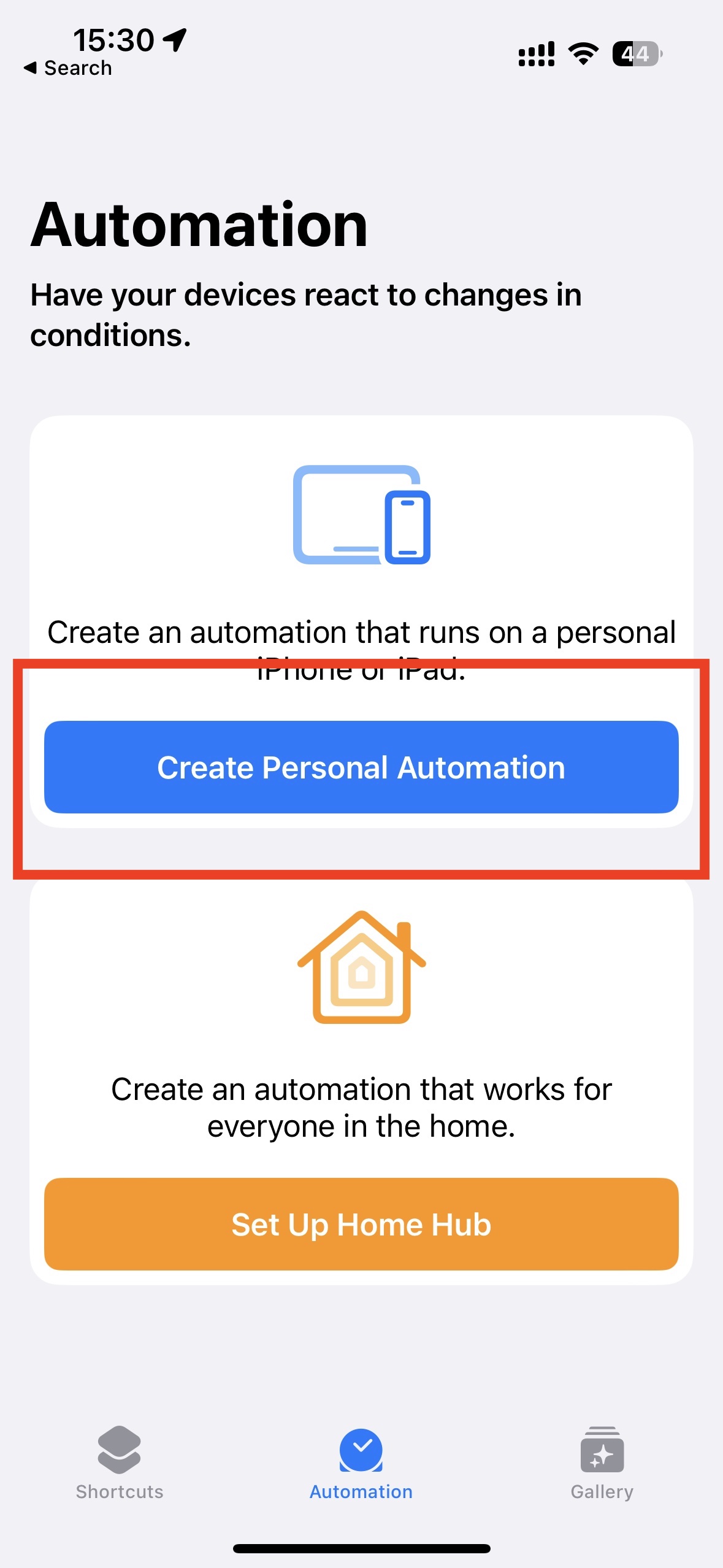
1. Open the Shortcuts app and “Create Personal Automation”
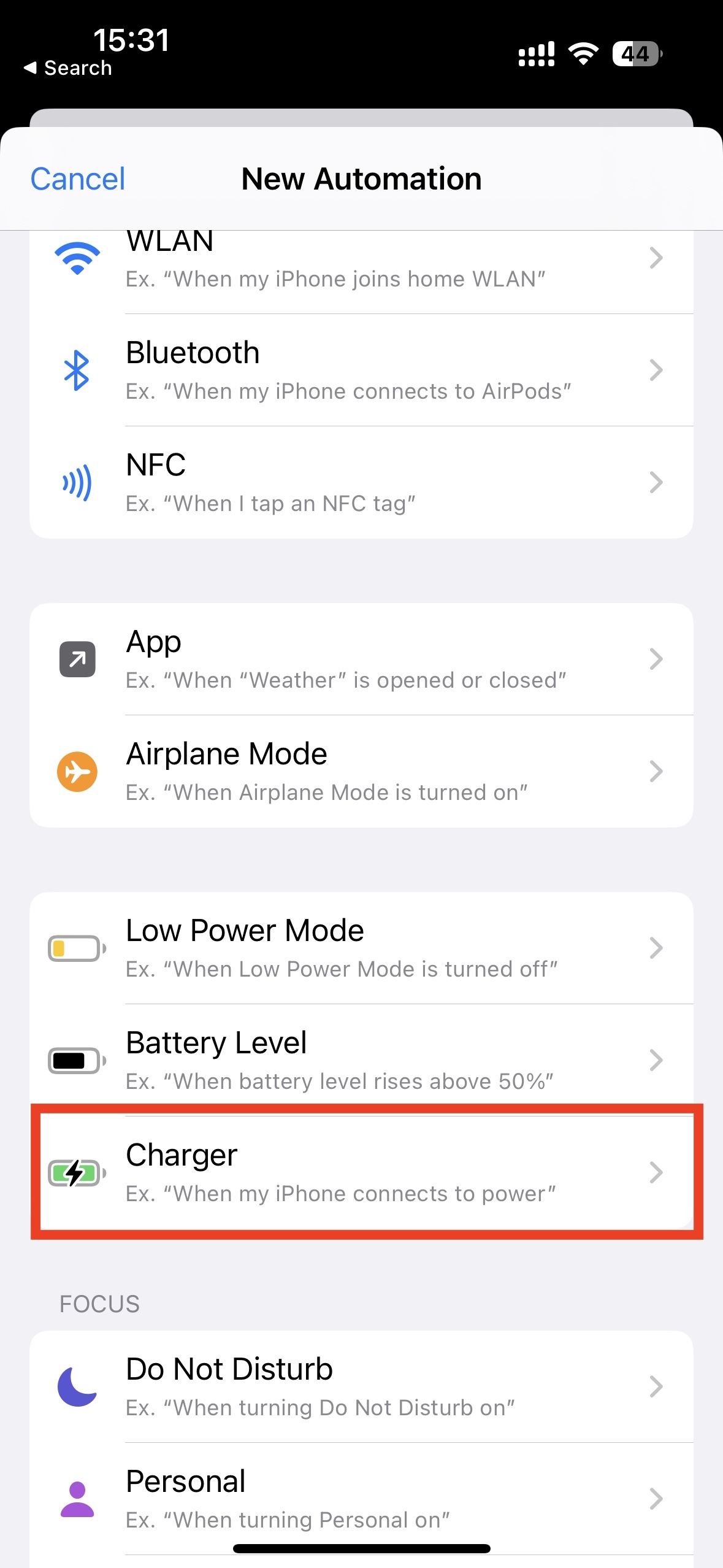
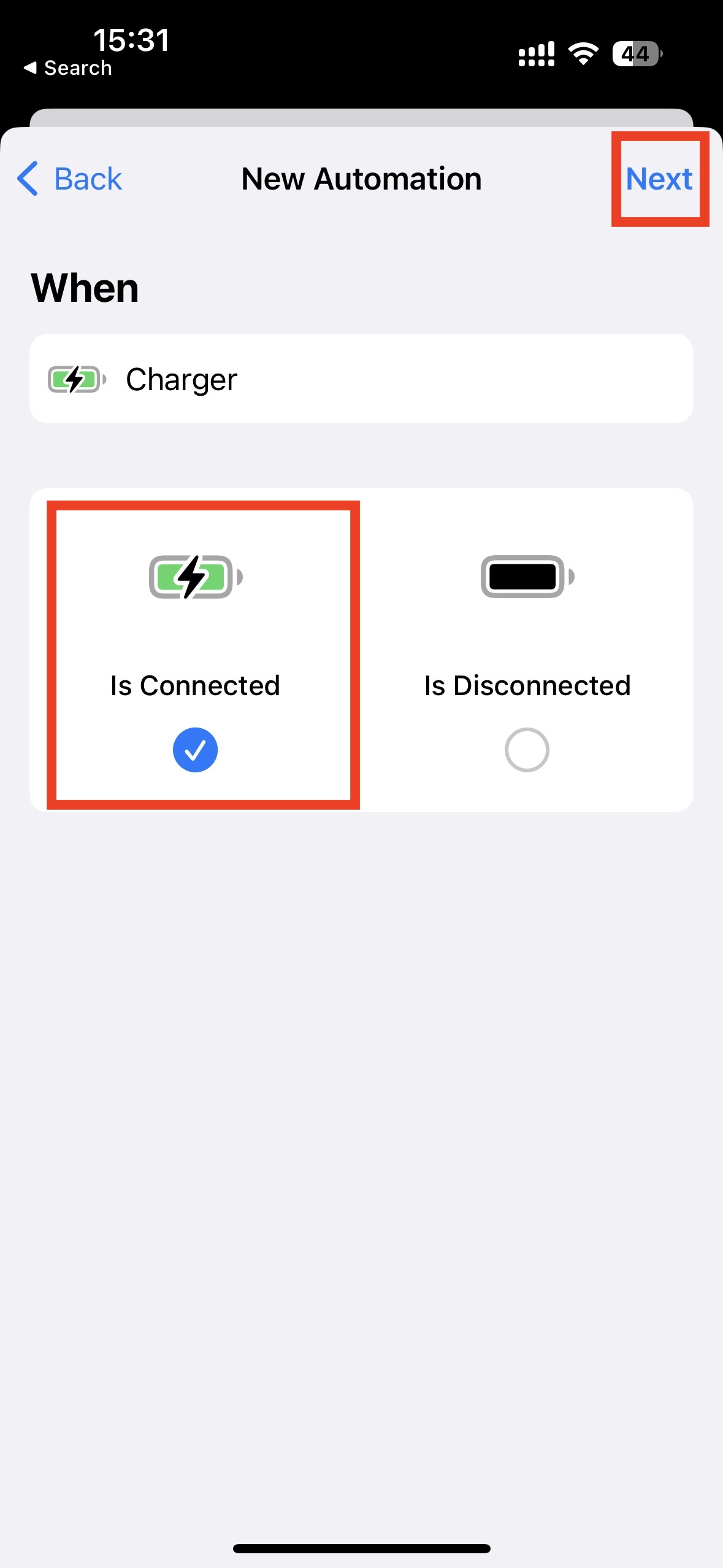
2. Choose "Charger" and tap "Next"
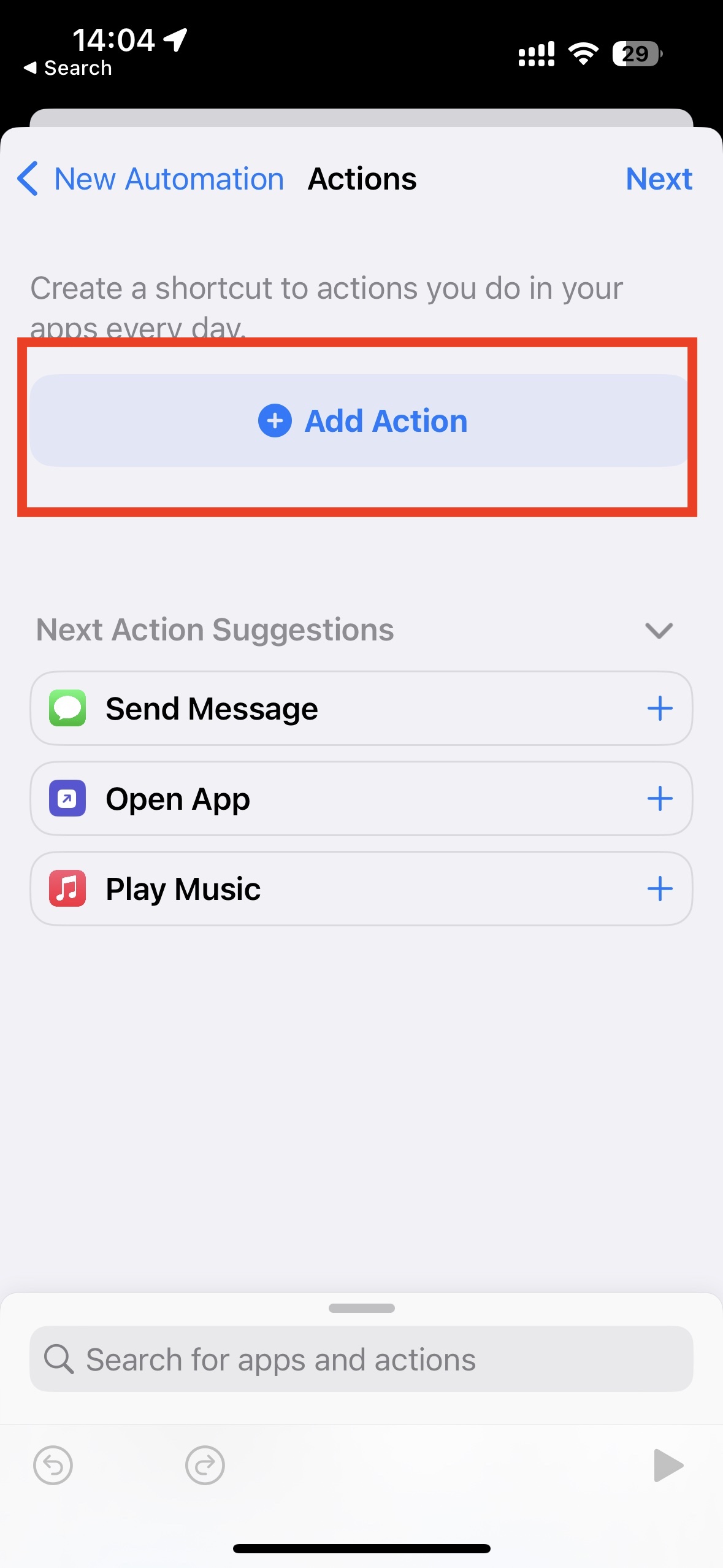
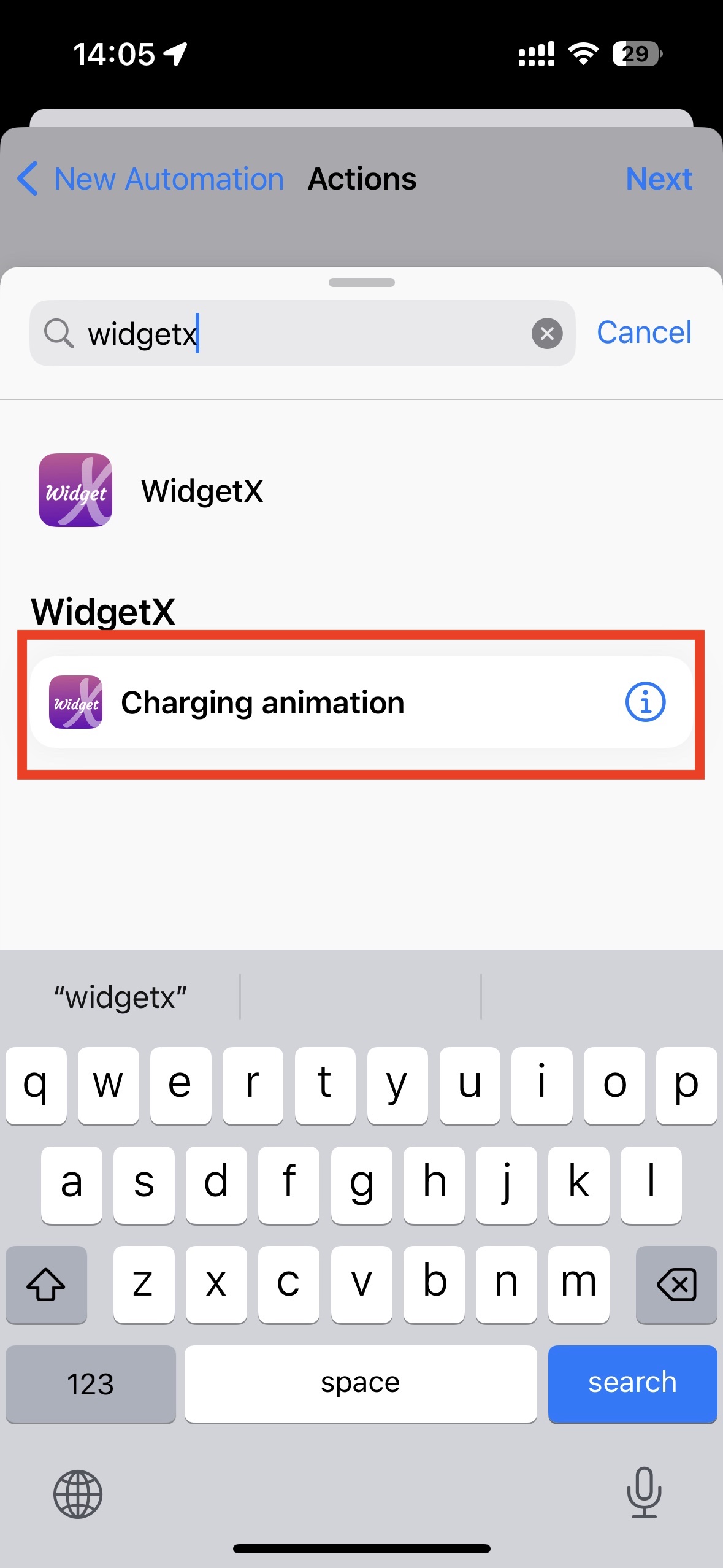
3. Tap "Add Action", search for "WidgetX", and select "Charging animation"
4. Turn off "Ask Before Running" and tap "Done"
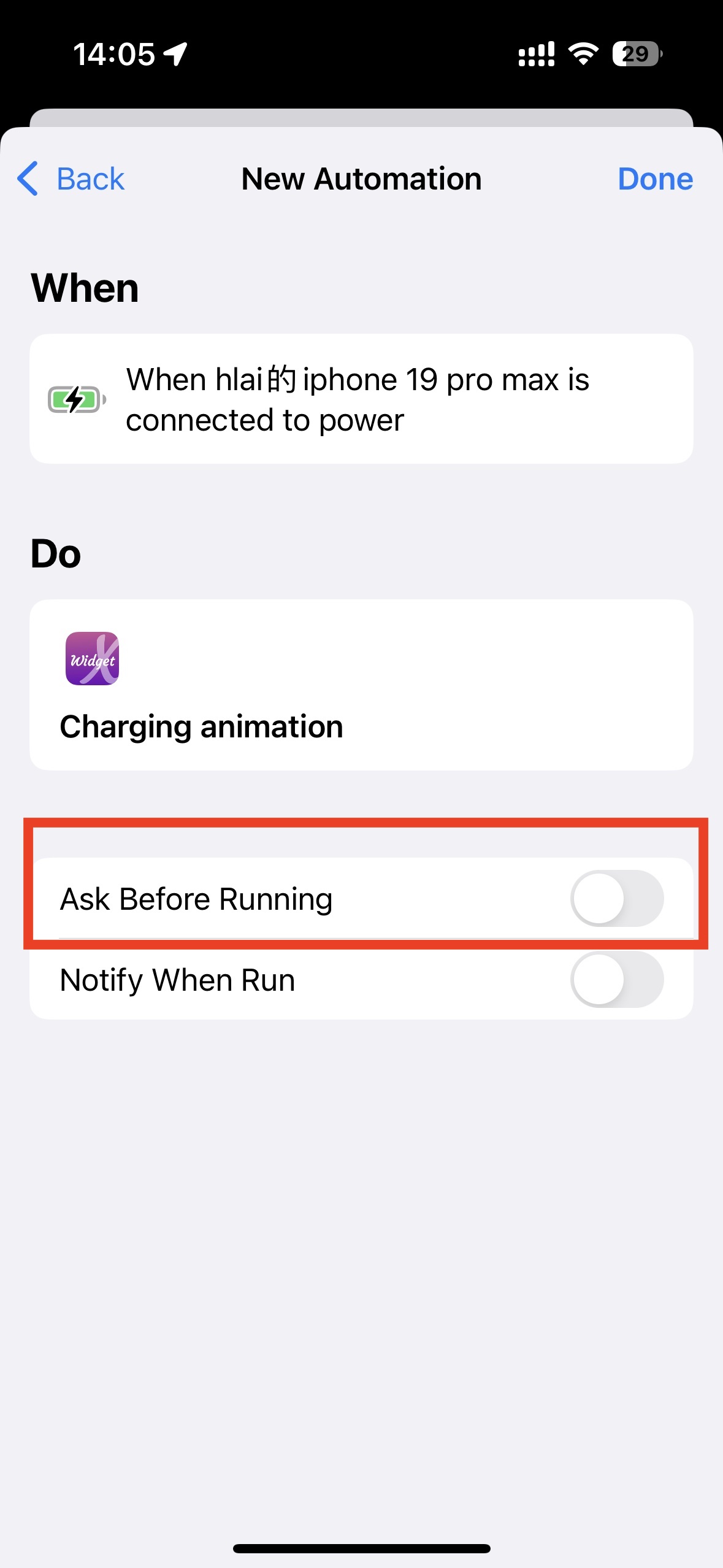
. Setup is complete. Try charging now!