DayPlus · Days since

How many days since…? Count it in seconds

How many days since a date? Pick it in the calculator and you get the answer instantly — pick a future date and it counts the days until instead. To keep the number growing every day, DayPlus is a day counter app for iPhone that tracks the days since a relationship began, a baby was born or a habit started.

Download on theApp Store Free download

Days since calculator

—Pick a date to see the count

Calculated in your browser. Nothing is sent anywhere.

A days since tracker that counts up for you

Create an event in DayPlus with a date in the past and it becomes a count-up: the day you got together, a baby’s birthday, moving into a new place, the first day without smoking. Every time you look, the number has grown. Countdowns and count-ups live in the same app, and the timeline shows past and future events in one line.

Show the total in days, or switch to weeks, months or years plus days — “2 years 3 days” reads better than a four-digit number for long-running milestones.

  • Days together, or days since the wedding
  • Days since the baby was born or the puppy came home
  • Days smoke-free, sugar-free or on a workout streak
  • Days since a new job, graduation or moving in
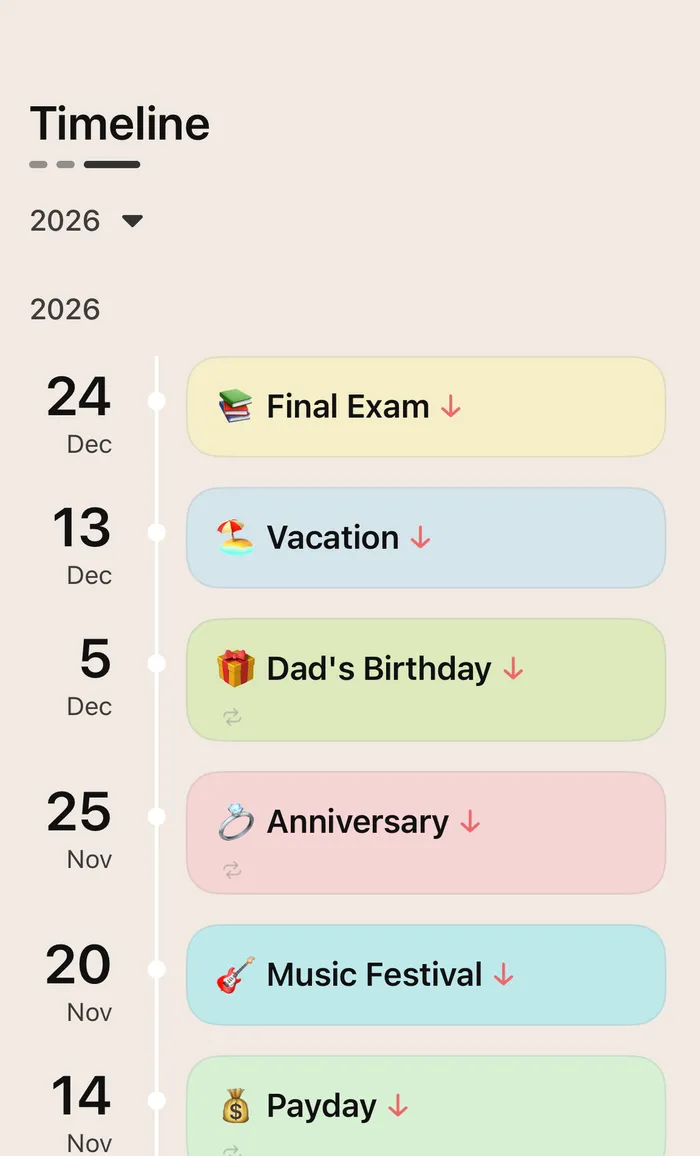
DayPlus timeline with past and future events
The timeline: look back and look ahead

Every 100 days and anniversary, celebrated

Round numbers like 100 days together or a baby’s 200th day, plus every anniversary, are highlighted in DayPlus on the day itself — no calendar math required. Add a reminder for the big ones, on the day or 1 day, 1 week or 1 month before.

Want to show it off? Turn any count into a share image for your partner or the family chat.

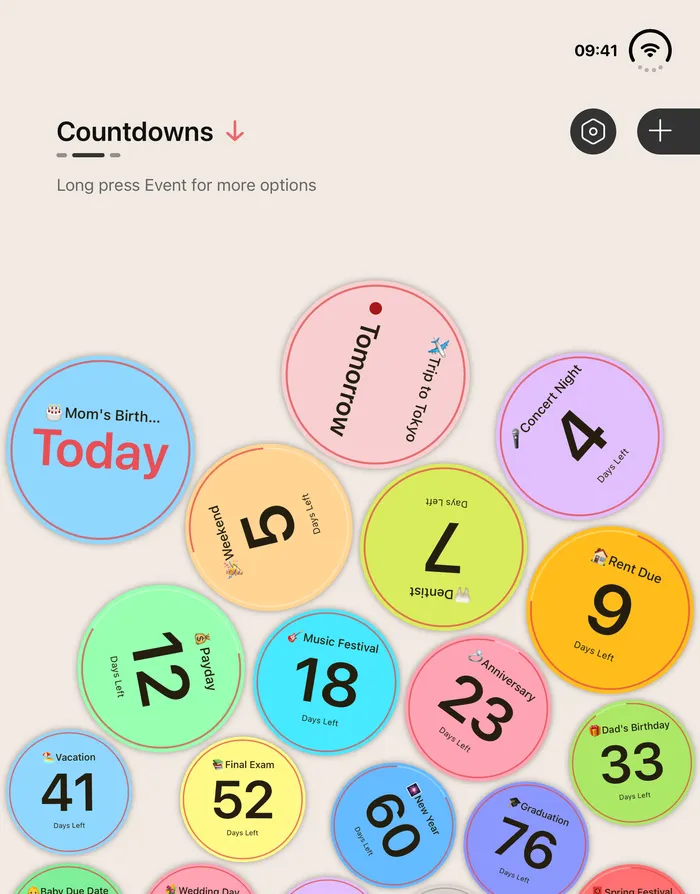
DayPlus bubbles showing Today, Tomorrow and day counts
One bubble per day that matters

Keep the count on your Home Screen

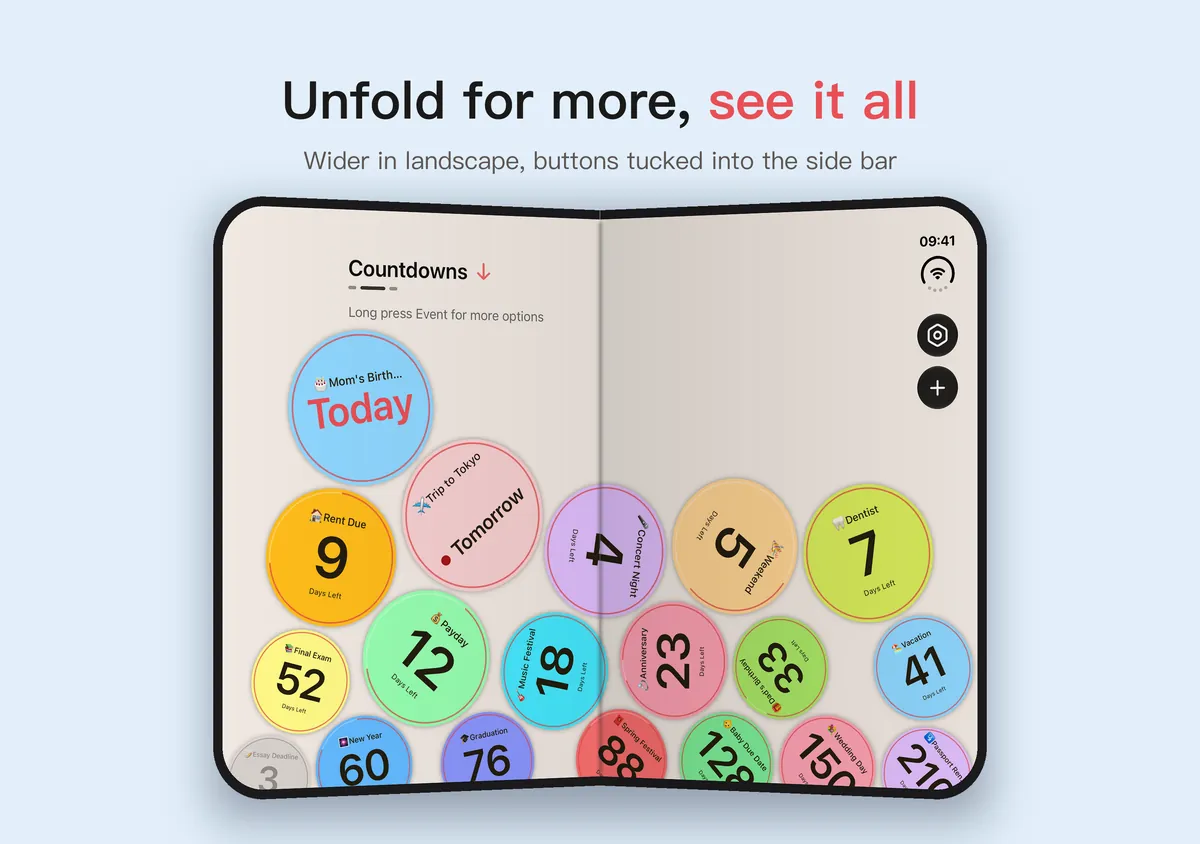
Count-ups work as Home Screen and Lock Screen widgets too, and they tick over at midnight. Unfold an iPhone Duo and the bubbles spread across the wide screen; DayPlus runs on iPad as well. See the countdown widget guide for how to add one.

DayPlus on an unfolded iPhone Duo: colorful bubbles across the wide screen
Unfold iPhone Duo to see them all

How the days are counted

The calculator and DayPlus both count calendar days: the number of dates between the start and today, with the start date itself counting as 0. If you’d say “today is our 500th day”, you’re counting the first day as day 1, so add one — the calculator shows you both.

Counting calendar days also means daylight-saving changes, when a day lasts 23 or 25 hours, never add or drop a day.

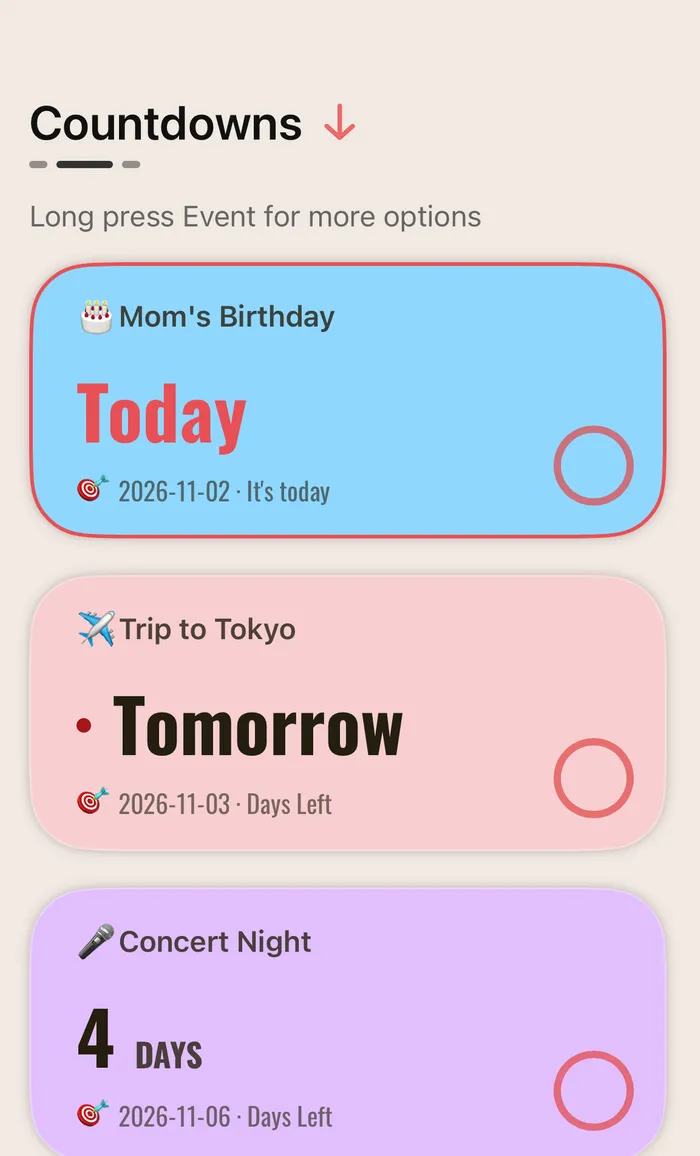
DayPlus card list with Today, Tomorrow and days left
Countdowns and count-ups in one list

Questions,
answered.

Something else on your mind? Email us at [email protected] — a real person reads every message.

DayPlusHow do I calculate how many days since a date?

Pick the date in the calculator on this page. It counts calendar days, with the start date as day 0; if you count the first day as day 1, add one.

DayPlusIs there an app that counts the days since an event?

DayPlus is a day counter app that counts up from any date — a relationship, a birth, a habit — and highlights every 100 days and anniversary.

DayPlusCan I see the days since in weeks, months or years?

Yes. Besides total days, DayPlus can show weeks, months or years plus days.

DayPlusCan I put a days-since counter on my Home Screen?

Yes. DayPlus Home Screen and Lock Screen widgets show count-ups too, and they update at midnight.

DayPlusDoes the calculator send my date anywhere?

No. It runs entirely in your browser and works offline.

DayPlus app icon

Put the days that matter
on your Home Screen.

Free download for iPhone, iPad and iPhone Duo.

Download on theApp Store