DayPlus · Countdown widget

A countdown widget and countdown app for iPhone

Want a countdown on your iPhone Home Screen? DayPlus is a countdown app for iPhone that turns any date — a birthday, a trip, an exam — into a countdown widget for your Home Screen or Lock Screen. Add the event once, and the days left update on their own at midnight.

Download on theApp Store Free download
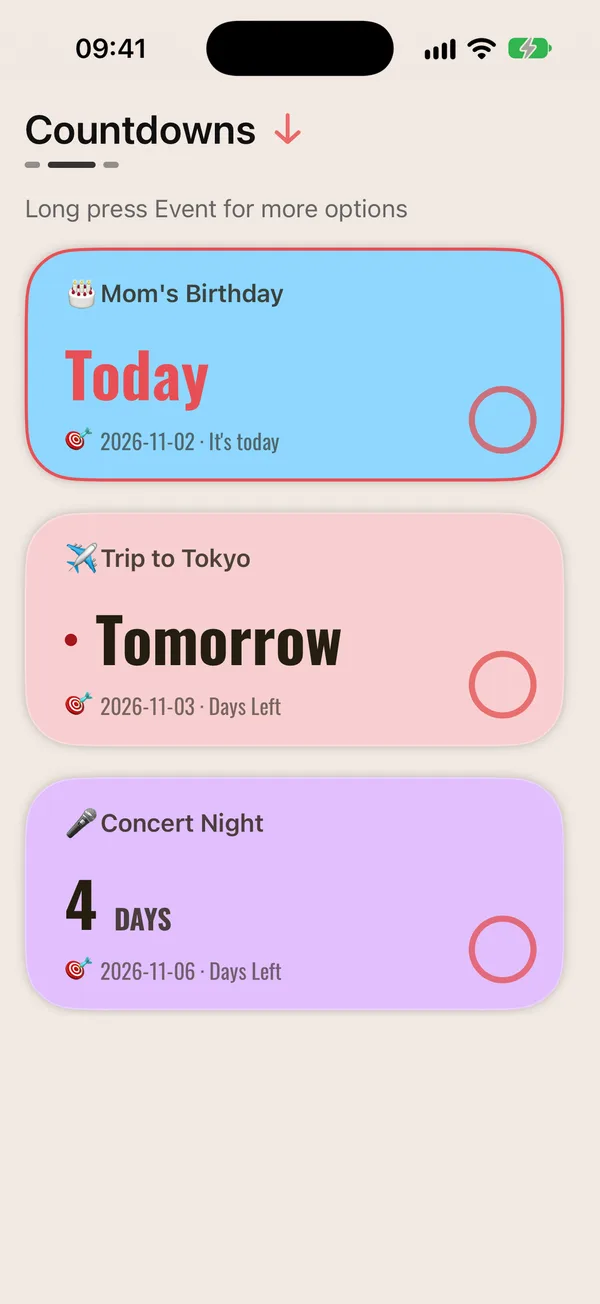
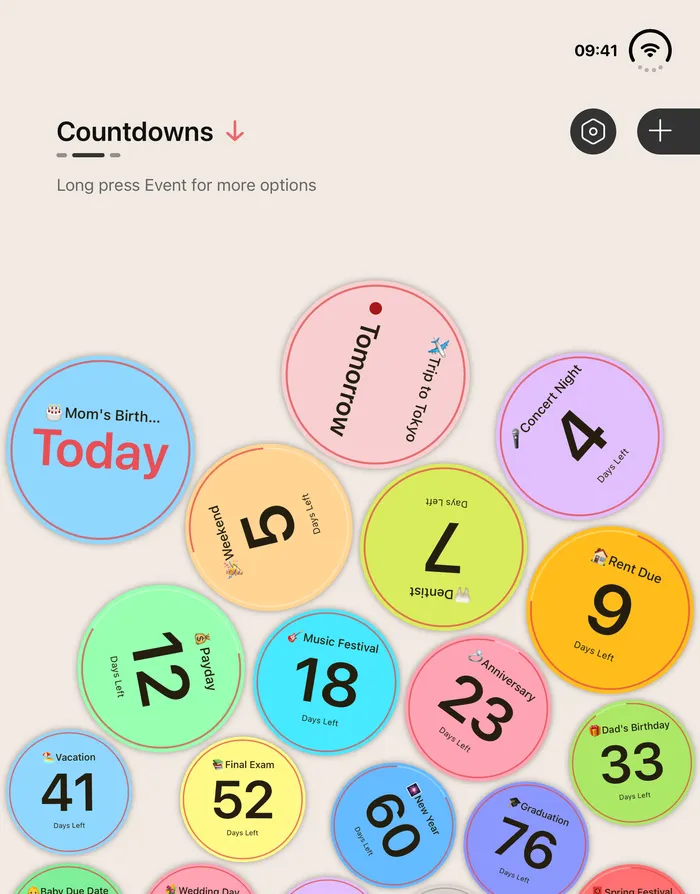
DayPlus countdown list: Mom’s birthday today, Tokyo trip tomorrow, concert in 4 days
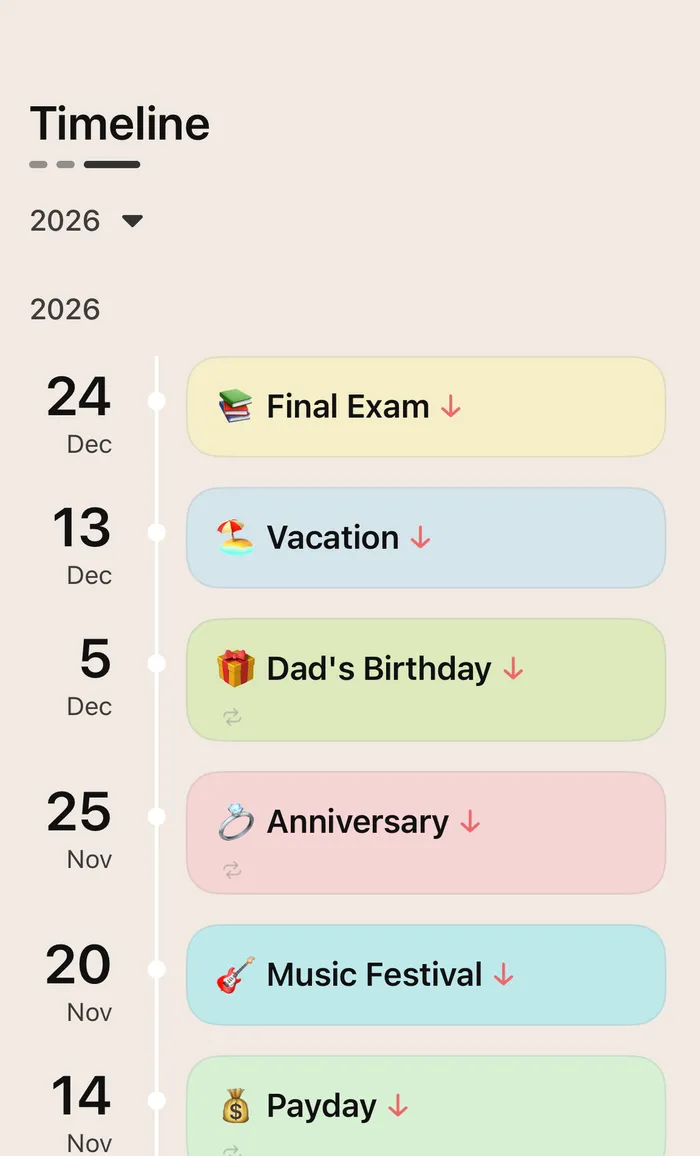
DayPlus timeline of past and upcoming events

Every countdown, at a glance

Tap + in DayPlus, give the event a name and a date, and the countdown starts. Birthdays, trips, exams, rent day, a launch date — add as many as you like, pin the one that matters most, or import events and holidays straight from your Calendar.

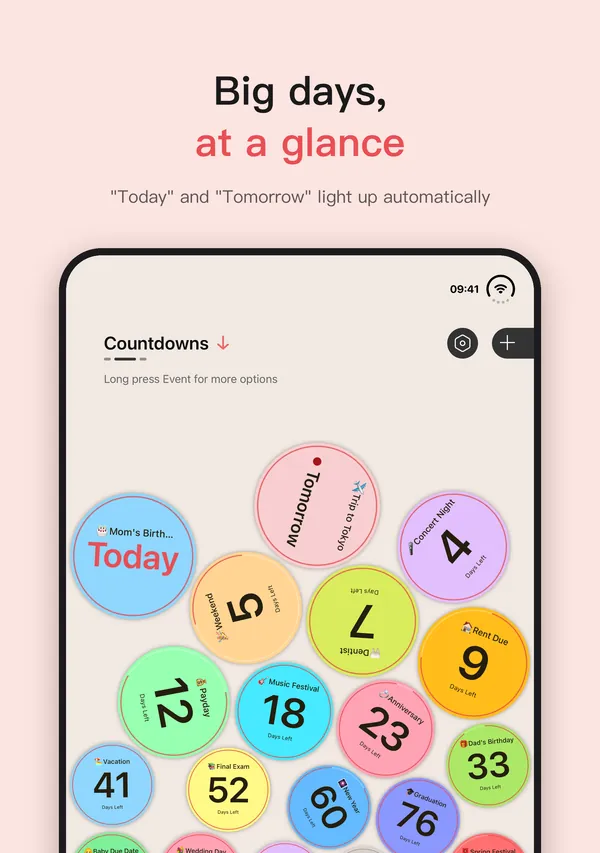
Close dates take care of themselves: the day before shows “Tomorrow”, the day itself lights up as “Today”, deadlines get a “1 day left” and “Last day” nudge, and past events quietly fade instead of crowding the top. Show them as playful bubbles you can tilt and roll, or as a clean card list.
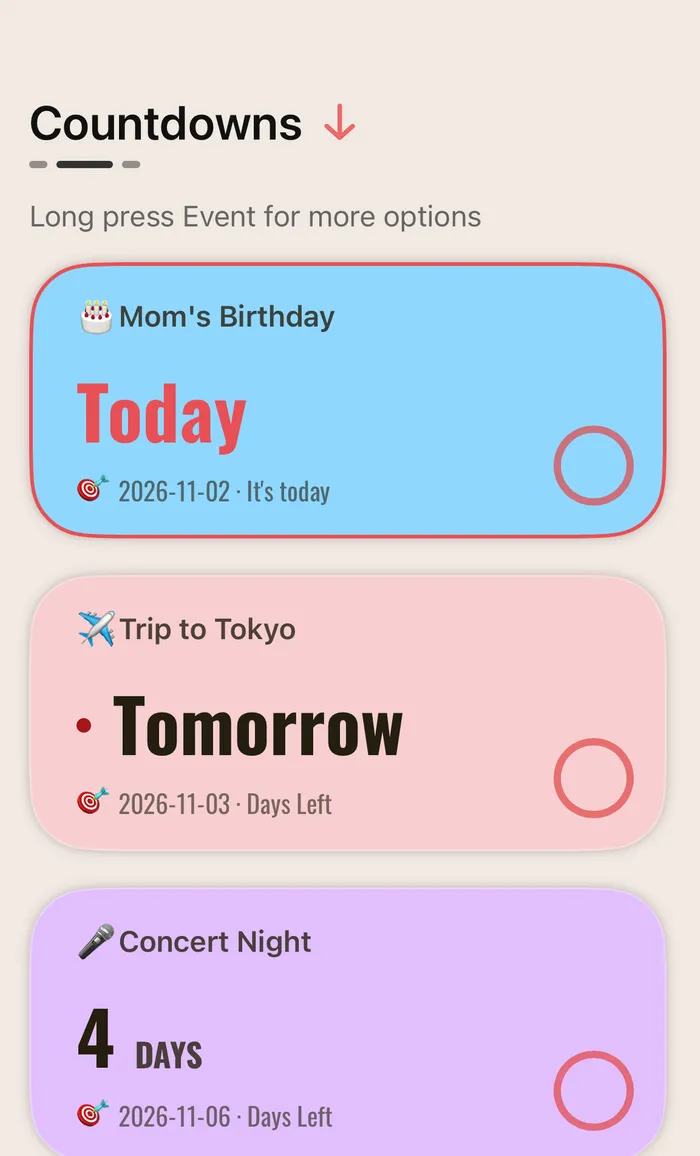
DayPlus card list with Today and Tomorrow highlighted
“Today” and “Tomorrow” light up; past events fade

Countdown widgets for the Home Screen and Lock Screen

DayPlus Home Screen widgets come in small, medium and large. Show one event big and bold, or use a list widget to keep several countdowns in one place. There’s also a Week / Month / Year widget that shows how many days are left in this week, this month and this year.

On the Lock Screen (iOS 16 or later) you can add circular, rectangular and inline widgets — the inline one sits right above the clock. Every widget rolls over to the new day at midnight, so the number is always right.

Mom’s birthdayTomorrow12.08
Remind 1 day before
A small widget: one event, one big number

How to add a countdown widget on iPhone

Create the event in the app first, then put the widget on your Home Screen. It takes under a minute:

  1. Create the event in DayPlusTap +, enter a name and the date, and set a repeat or a reminder if you want one.
  2. Edit your Home ScreenTouch and hold an empty area until the apps jiggle, tap Edit in the top-left corner, then Add Widget (on iOS 17 and earlier, tap +).
  3. Search for DayPlus and pick a sizeSearch the widget gallery for DayPlus, swipe to the size you want and tap Add Widget.
  4. Choose which event it showsTouch and hold the new widget, tap Edit Widget, and pick the event to count down to.

For the Lock Screen: touch and hold it, tap Customize, choose Lock Screen, tap the widget area below the time and add DayPlus.

DayPlus bubble mode: each countdown is a colorful ball
Bubble mode: tilt your phone and the days roll around

A birthday countdown app that repeats every year

Birthdays and anniversaries come back every year, so set them to repeat yearly and DayPlus starts the next countdown as soon as the day has passed. Celebrate by the lunar calendar? Choose a lunar yearly repeat and the date is worked out for you each year.

Get a reminder on the day, or 1 day, 1 week or 1 month before. Other events can repeat monthly, weekly, on workdays or every N days. When the big day comes, turn the countdown into a share image for friends and family.

DayPlus showing “Today” on Mom’s birthday
On the day, the bubble simply says “Today”

Questions,
answered.

Something else on your mind? Email us at [email protected] — a real person reads every message.

DayPlusHow do I put a countdown on my iPhone Home Screen?

Create the event in DayPlus, then touch and hold your Home Screen, tap Edit → Add Widget (or + on iOS 17 and earlier), search for DayPlus and add a widget. Touch and hold it and choose Edit Widget to pick the event.

DayPlusCan I add a lock screen countdown widget?

Yes. On iOS 16 or later you can add DayPlus circular, rectangular or inline widgets to the Lock Screen, so the days left are there the moment you wake your iPhone.

DayPlusIs there a birthday countdown app that repeats every year?

DayPlus does. Set a birthday to repeat yearly (or lunar yearly) and the next countdown starts automatically after the day passes. You can get a reminder on the day or 1 day, 1 week or 1 month before.

DayPlusDoes the countdown widget update by itself?

Yes. Widgets roll over to the new day at midnight, so you don’t need to open the app every day.

DayPlusCan one widget show several countdowns?

Yes. The list widgets, in small, medium and large, show several events at once.

DayPlusIs DayPlus free, and which devices does it support?

DayPlus is a free download for iPhone, iPad and iPhone Duo.

DayPlus app icon

Put the days that matter
on your Home Screen.

Free download for iPhone, iPad and iPhone Duo.

Download on theApp Store