Pomo Up · App blocker

An app blocker for iPhone that locks distractions while you focus

One quick scroll, one reply, and the Pomodoro is gone. Pomo Up works as an app blocker for iPhone: choose the apps that pull you away, and they lock the moment a focus session starts and unlock on their own when it ends. Blocking runs on Apple’s Screen Time, and your app choices never leave your iPhone.

Download on theApp Store Free download
Apps locked during a session: a red lock shield with the time left below
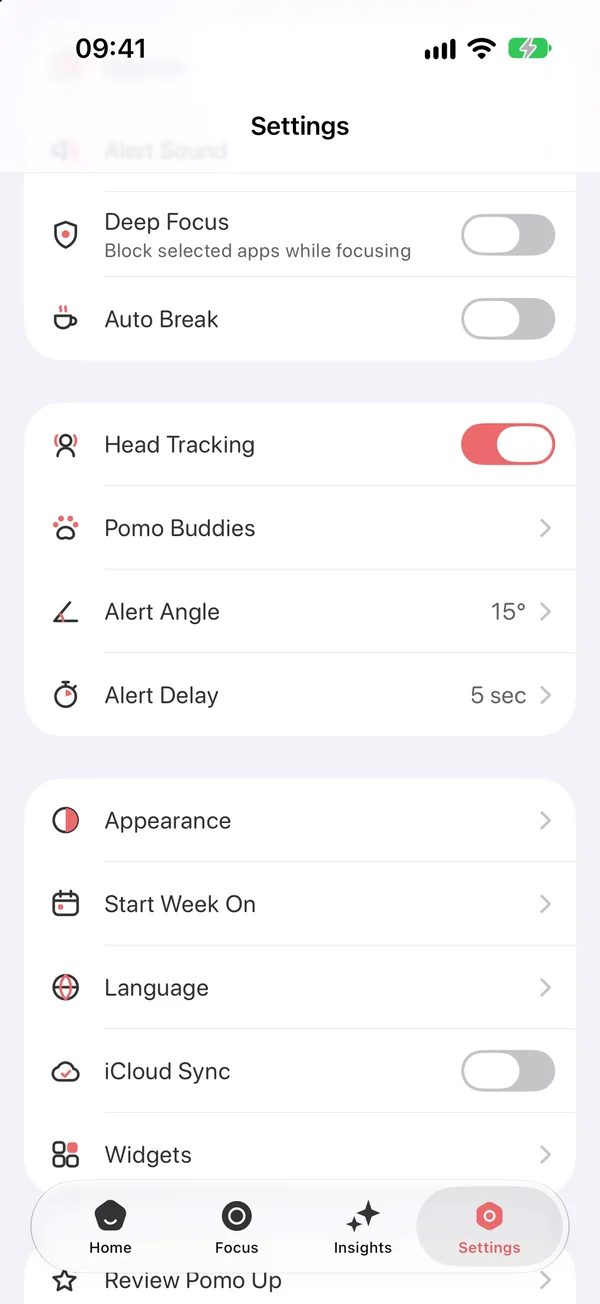
Deep Focus in Pomo Up Settings: block selected apps while focusing

Locked when a session starts, back when it ends

Turn on Deep Focus in Settings and every focus session — countdown or stopwatch — locks the apps you picked. Open one and you get a blocked screen instead: “We’re still focusing,” a note that the app will be back when this Pomodoro ends, and a Keep Focusing button.

When the Pomodoro finishes, or you end it, the block lifts by itself — nothing to switch off. Blocking only applies while you focus, so every app works as usual during your breaks.
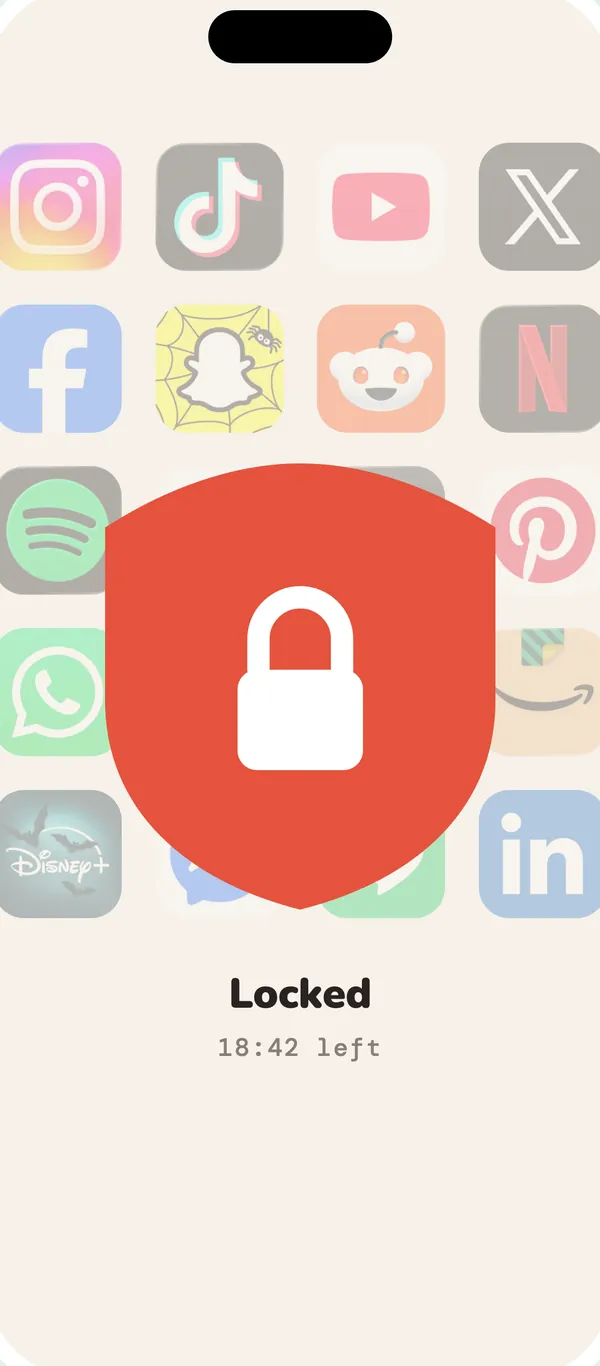
Opening a locked app during a session shows a blocked screen
A locked app during a session

How to block apps on iPhone with Pomo Up

Setting it up takes about a minute, and then it works on every session:

  1. Turn on Deep FocusIn Pomo Up’s Settings, switch on Deep Focus — “Block selected apps while focusing.”
  2. Allow Screen Time accessiOS asks once for Screen Time permission. Pomo Up needs it to lock apps.
  3. Choose the apps to blockIn Apple’s app picker, tick individual apps or whole categories such as Social or Games — up to 49.
  4. Start a focus sessionPick a tag and tap Start; the apps lock right away. To change the list later, tap Apps Blocked in Settings.

Privacy: you choose apps in Apple’s own Screen Time picker. Pomo Up only receives anonymous tokens from iOS — it can’t see which apps you picked, and nothing is uploaded.

Pomo Up Settings: the Deep Focus switch, “Block selected apps while focusing”
Turn on Deep Focus in Settings

When you really need that app

Blocking isn’t meant to lock you in. If something urgent comes up, end the session or switch off Deep Focus in Settings and every app is back at once. Breaks between Pomodoros aren’t blocked either, so you can reply to messages and check notifications.

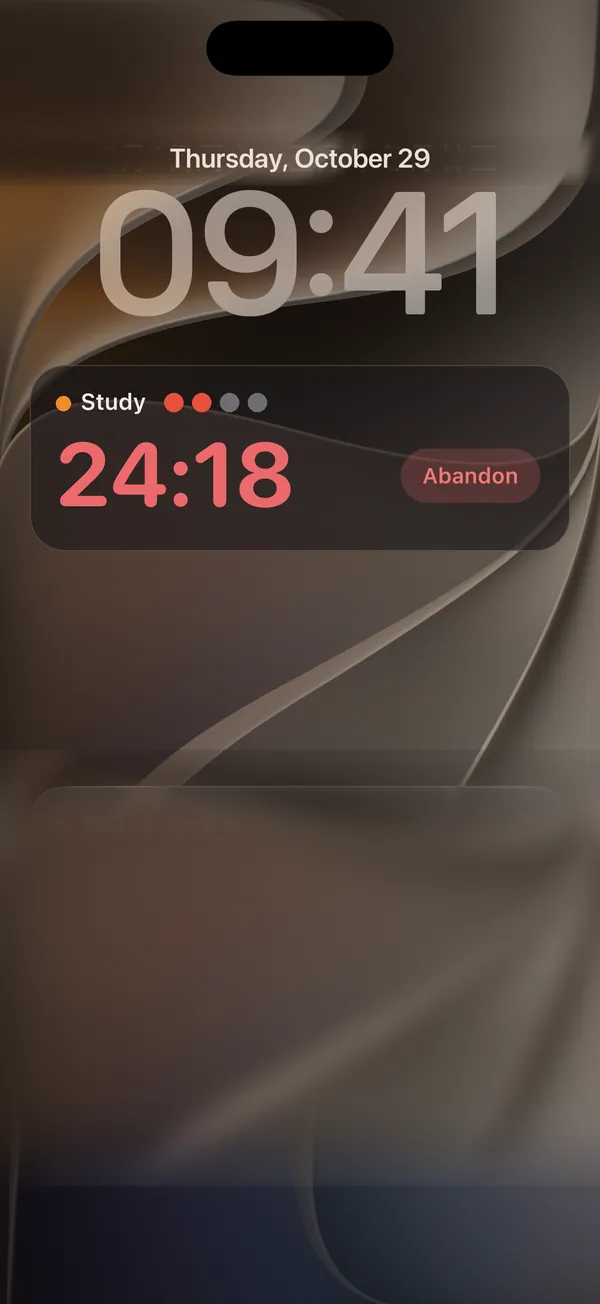
While you focus, the countdown sits in a Live Activity on the Lock Screen and in the Dynamic Island, so you always know how long until your apps come back.

Pomo Up Live Activity on the Lock Screen: the Study tag with 24:18 left
Time left, right on the Lock Screen

See where the time went instead

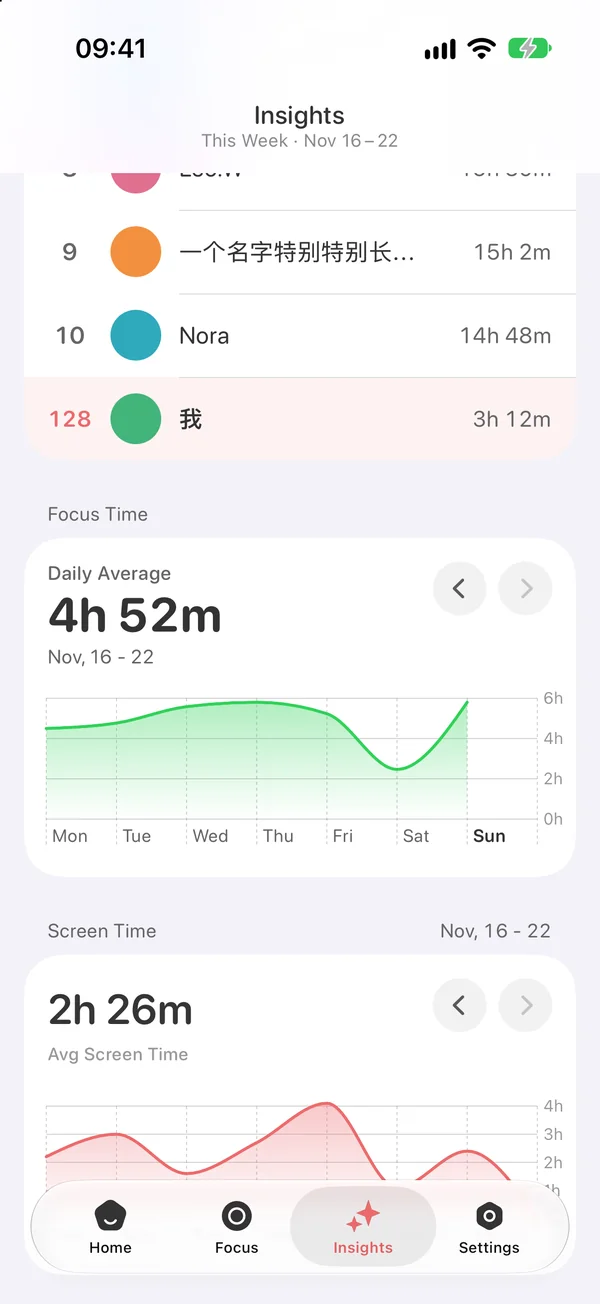
Every session is recorded. The Insights tab puts this week’s daily focus time next to your Screen Time, so you can see what changes once the distracting apps are locked, and the tag breakdown shows whether the time went to study, work or reading. More in focus stats.

Want some company too? With AirPods in, your buddy reminds you to look up when your head stays down — see posture reminders & buddies.

Insights: a 4h 52m daily focus average this week, with Screen Time below
Focus time next to Screen Time

Questions,
answered.

Something else on your mind? Email us at [email protected] — a real person reads every message.

Pomo UpHow does Pomo Up block apps on iPhone?

It uses Apple’s Screen Time framework: the apps and categories you choose are locked when a focus session starts and unlocked when it ends.

Pomo UpDo the apps unlock automatically?

Yes. When the Pomodoro finishes, or you end it early, the block lifts right away. Breaks aren’t blocked.

Pomo UpHow many apps can I block?

Up to 49 in Apple’s picker, and you can also pick whole categories such as Social or Games.

Pomo UpCan Pomo Up see which apps I chose?

No. You pick them in Apple’s own picker; Pomo Up only gets anonymous tokens from iOS, and the selection stays on your device.

Pomo UpWhat if I need a blocked app mid-session?

End the session, or switch off Deep Focus in Settings, and every app is available again immediately.

Pomo UpDoes it work in stopwatch mode?

Yes. Both countdown Pomodoros and count-up stopwatch sessions lock your chosen apps; only breaks are left open.