Pomo Up · Mac

A Pomodoro timer for Mac that lives in your menu bar

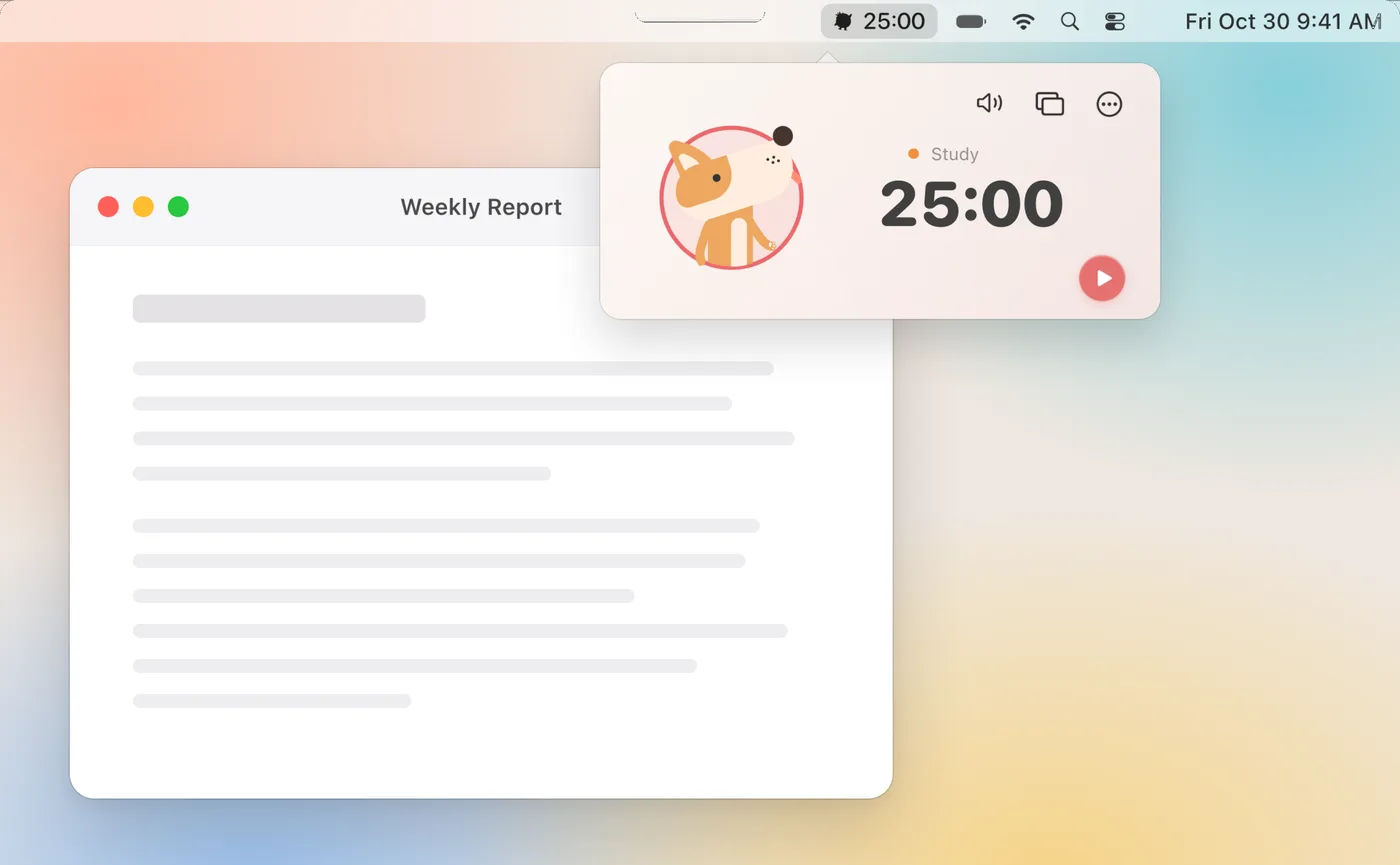
Looking for a Pomodoro app for Mac? Pomo Up puts the countdown in your menu bar: click it to start a session, keep it in a small popover or its own window, and press ⌃⌘F for full-screen focus when you need the rest of the desktop to fade away. Sessions sync with your iPhone and iPad through your own iCloud.

Download on theApp Store Free download
Pomo Up in the Mac menu bar with a 25:00 countdown popover
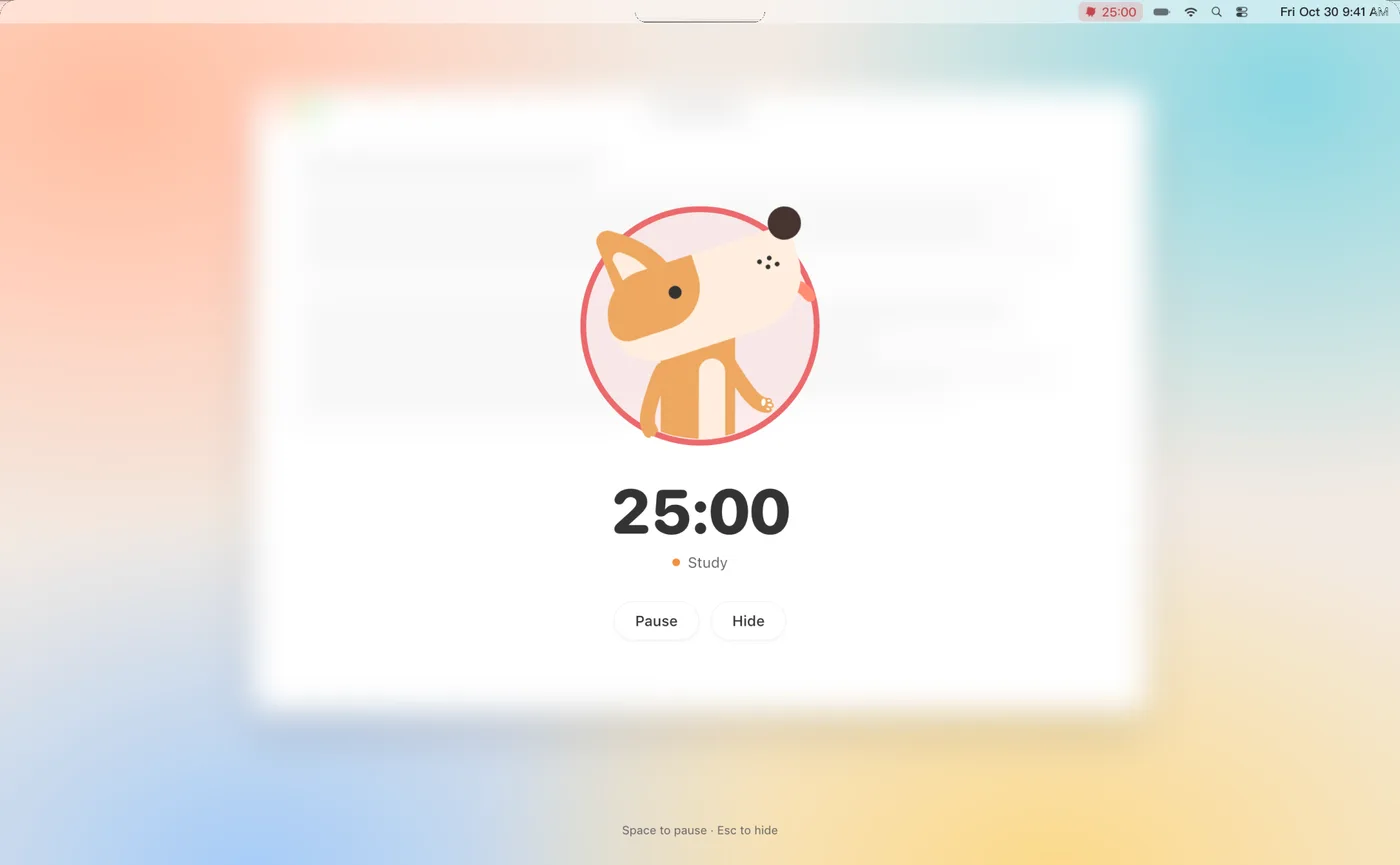
Full-screen focus on Mac: the desktop fades, only the countdown stays

Full-screen focus with ⌃⌘F

Press ⌃⌘F (or choose Full Screen Focus from the More menu) and the desktop fades back, leaving just the countdown, your tag and your buddy. Press Space to pause or resume, and Esc to hide it.

Finish a tomato and you get a small celebration; the break timer can go full screen too, with one click to start the next Pomodoro. Wearing AirPods with posture reminders on? If your head stays down too long, the full-screen view says “Lift your head, your buddy is watching.”

Full-screen focus on Mac: the Dog buddy, 25:00, and Pause and Hide buttons
Space to pause · Esc to hide

Tag presets and keyboard shortcuts

Each tag remembers its own length and timer mode — Study for 50, Reading for 25 — so picking a tag is all it takes to start. Set your short break, long break and long-break interval, or let breaks start automatically when a tomato ends.

The everyday actions have keyboard shortcuts, so your hands never leave the keyboard. A Statistics window (⌘1) shows where your focus time went by tag, and ⌘T opens tag management so you can add, edit or delete tags without picking up your iPhone.

⌃⌘F
Full-screen focus
⌘1
Statistics
⌘T
Manage tags
⌘,
Settings
Space
Pause / resume in full screen
Esc
Hide full screen
Shortcuts on Mac

Start on Mac, keep going on iPhone

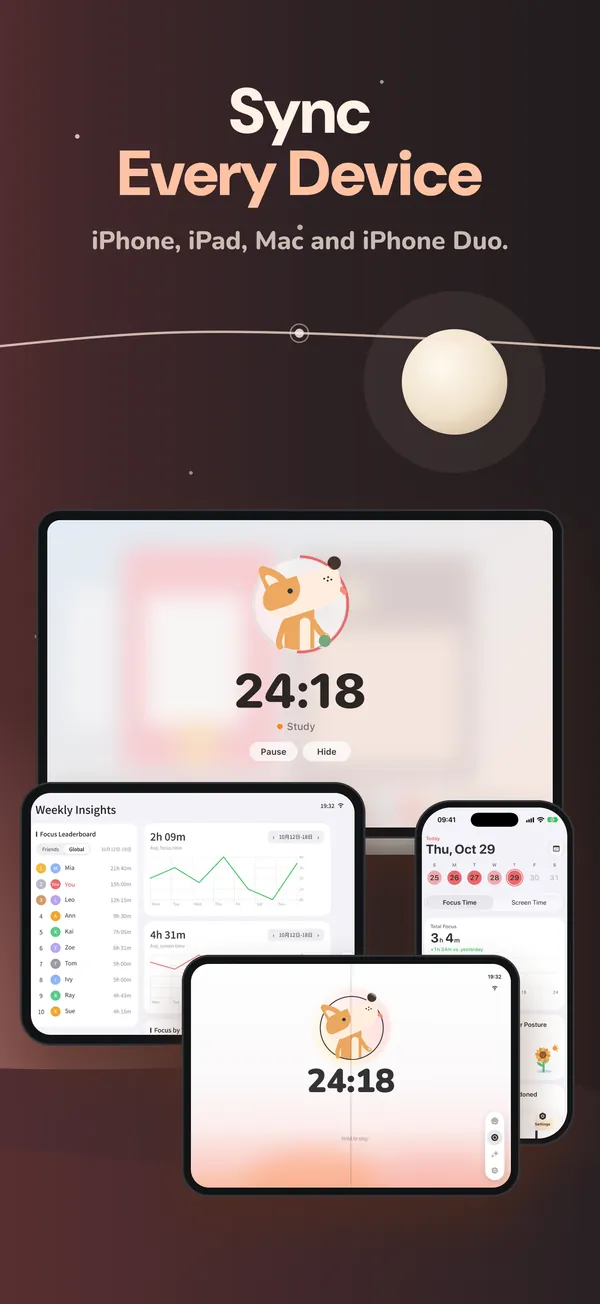
No account needed. Your focus records and tags stay on your devices and sync through your own iCloud across Mac, iPhone, iPad and iPhone Duo. Timer relay lets you start a tomato on your Mac and pick it up on your iPhone when you head out.

On iPhone, a running session also shows as a Live Activity on the Lock Screen and in the Dynamic Island. See everything else on the Pomo Up page.

Pomo Up showing the same timer on Mac, iPad and iPhone
Mac, iPad and iPhone in sync through iCloud

Questions,
answered.

Something else on your mind? Email us at [email protected] — a real person reads every message.

Pomo UpIs there a Pomodoro timer for the Mac menu bar?

Pomo Up runs in the Mac menu bar and keeps the time left visible there. Click it to start, pause or check on your buddy.

Pomo UpCan I show the timer full screen on Mac?

Yes. Press ⌃⌘F for full-screen focus, Space to pause or resume, and Esc to hide. Breaks can go full screen too.

Pomo UpCan I use a window instead of the popover?

Yes. Set Display Mode to Window in Settings and the timer becomes a window you can move and resize.

Pomo UpDoes the Mac app sync with my iPhone?

Yes. Records sync through your own iCloud across Mac, iPhone, iPad and iPhone Duo, with no account to create.

Pomo UpDo posture reminders work on Mac?

Yes. Focus with supported AirPods or Beats Fit Pro, and if your head stays down too long the full-screen view reminds you to look up. See posture reminders.

Pomo UpCan I see my focus stats on Mac?

Yes. Press ⌘1 to open Statistics and see your focus time by tag — the same data you see on iPhone and iPad.

Pomo Up app icon

Your next tomato
starts now.

Free download for iPhone, iPad, iPhone Duo and Mac.

Download on theApp Store